Best Bitcoin Wallets in 2026: Top 10 Picks Compared

There is not one single best Bitcoin wallet for everyone. Most users should have at least two wallets; a hardware wallet for savings that will be used for larger sums and one for daily use that will be used for smaller amounts.
I know that may sound a little unusual. Most guides are splitting one winner and going on to another. However, 2026 has been a difficult year for wallet security, and the one wallet that's the best can have dangers you aren't aware of.
Here you will find out what a bitcoin wallet really is, how the 10 wallets below are different, plus which one matches the way you use bitcoin.
What Is a Bitcoin Wallet?
A Bitcoin wallet is an app or device that stores the private keys you need to spend your bitcoin.
The common mistake most traders make is believing that they actually own the coins in their wallet. Your bitcoins are stored in the Bitcoin blockchain which is a public record stored on all the nodes. The secret key is what allows you to prove that the coins belong to you and it is stored in the wallet.
In Bitcoin's early years those keys were stored in a single file on your computer. They now live in phone apps, desktop programs and tiny gadgets designed to protect them.
Seed phrases. When you formulate a wallet, it provides a seed phrase, typically 12 or 24 words. Anyone who comes across these words can steal your bitcoin, because they can restore your keys on a compatible wallet. What is important to keep in mind is that you must record them on paper and not on a photo or a cloud note.
Hot and cold wallets. A hot wallet operates on a device that is connected to the internet, such as a smartphone or computer. A cold wallet, typically a hardware device, stores cryptographic keys offline and authorizes transactions only after user approval on its dedicated interface.
Custodial and Self-custody. On an exchange, the company holds your cryptographic keys while you maintain an account balance. On the other hand, self-custody involves the individual holding their own keys directly. This approach eliminates company risk but it makes you fully responsible for your backup.
You can learn more about in our guide to what a self-custody wallet is goes deeper into this.

Best Bitcoin Wallets at a Glance
|
Wallet |
Type |
Best for |
Cost |
|
Trezor Safe 5 |
Hardware |
First hardware wallet and long-term savings |
One-time purchase |
|
Ledger Nano Gen5 and Flex |
Hardware |
Bitcoin plus many other coins |
One-time purchase |
|
Multi-chain app |
Spending crypto and stablecoins alongside BTC |
Free app |
|
|
Exodus |
Multi-chain app |
Beginners who want a polished multi-coin app |
Free app |
|
Trust Wallet |
Multi-chain app |
Broad network and token coverage |
Free app |
|
Sparrow |
Desktop |
Coin control, multisig and your own node |
Free |
|
BlueWallet |
Mobile |
Simple on-chain Bitcoin on your phone |
Free |
|
Phoenix |
Mobile, Lightning |
Small, fast Lightning payments |
Free app, network fees apply |
|
Electrum |
Desktop |
Long-time users who pair it with a hardware wallet |
Free |
|
BitBox02 |
Hardware |
Simple, Bitcoin-only cold storage |
One-time purchase |
The price of hardware wallets can go up and down, so it's a good idea to look at the official store first before buying one. Also, don't buy a hardware wallet from a marketplace or someone you don't know well, because it might be changed or broken, and that could put your coins in danger.
Types of Bitcoin Wallets
There are 5 main types, and each one has good and not-so-good things about how easy it is to use and how much control you have.
-
Hardware wallets are special devices that store your secret keys offline, making them very safe. They are good for saving your coins for a long time.
-
Desktop wallets are programs on your computer that help you manage your coins. They let you choose exactly which coins to use.
-
Mobile wallets are apps on your phone that let you use your coins quickly whenever you need them.
-
Lightning wallets are special tools that help you send small amounts of coins quickly and cheaply, using a special system built on Bitcoin.
-
Multi-chain wallets support Bitcoin alongside other cryptocurrencies and tokens.
If you hold more than just Bitcoin, then why multi-chain crypto wallets make sense can help you choose a wallet that fits your needs. However, check how each one handles BTC.
How We Picked These Wallets
We looked at each wallet’s website and information in October 2026, and also read news stories about how safe they are. We checked every wallet on six important things:
-
How the wallet keeps your Bitcoin safe and if it explains this clearly.
-
If the code is open source so other experts can check it and make sure it’s safe.
-
Its safety record, including any problems in 2025 and 2026.
-
How you can back up and recover your wallet, like using a special secret phrase called a seed phrase.
-
How easy it is for beginners to use, and if it has features for experts.
-
What devices it works on, how much it costs, and extra things like exchanging coins or getting a card.
Remember, we don’t put the wallets in order from best to worst. The best wallet is the one that works best for how you want to use Bitcoin.
The 10 Best Bitcoin Wallets in 2026
1. Trezor Safe 5
Best for a first hardware wallet
Trezor makes its wallets using open-source code, which means everyone can see how they work. The Safe 5 has a small, colorful screen that is 1.54 inches big, and it gives little vibrations to tell you when you press buttons. It also has a special chip that keeps your information safe and lets you add a secret word to make your wallet even more secure.
The regular Trezor Safe 5 can hold lots of different types of coins, and they also sell a special version just for Bitcoin.
Best for: people who are buying a hardware wallet for the first time and want to keep their savings safe for a long time.
Watch out for: buy only from Trezor's official store. Trezor has said its devices are not affected by the 2026 Coldcard flaw. It also warns that a seed created on an affected Coldcard stays at risk even after you recover it on a Trezor.
2. Ledger Nano Gen5 and Flex
Best for holding many coins
Ledger is the best-known hardware wallet brand. The Nano Gen5 connects to your phone over Bluetooth and has an E Ink secure screen, and Ledger's launch announcement listed it at $179. The Flex is Ledger's larger touchscreen model. Ledger devices support thousands of coins and tokens.
Best for: people who hold Bitcoin plus many other coins.
Watch out for: parts of Ledger's firmware are closed source, and its optional Ledger Recover backup service still divides Bitcoin users. In January 2026, a breach at its payment partner Global-e exposed some customers' names and contact details. Ledger said its own systems were not breached and that payment information was not involved.
3. Oppi Wallet
Best for spending crypto and stablecoins alongside BTC
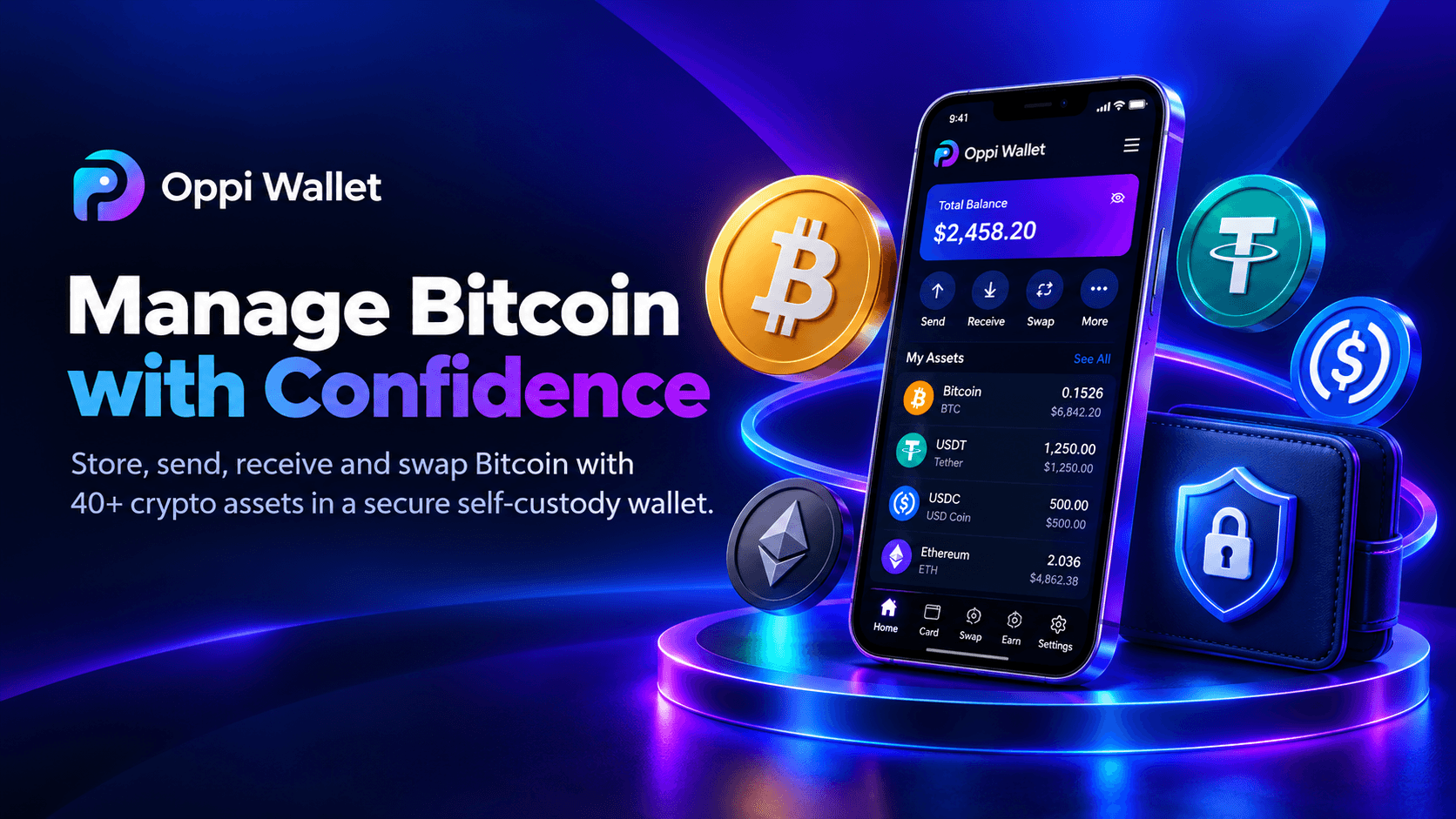
Oppi Wallet is a multi-chain wallet that provides self-custody for your private keys. Manage BTC alongside ETH, SOL, DAI, USDT and USDC across the main Ethereum, BNB Smart Chain, Polygon, TRON and Solana blockchain networks; and swap between 40+ tokens within the app.
Security includes a 12-word recovery phrase, AES-256 encryption, PIN, biometric login and Google two-factor authentication. Another feature you can get is a virtual crypto card that you can use like a debit card in supported countries, offered by Oppi. The card must be verified in terms of identity.
Best for: Bitcoin holders who seek to spend their crypto in real life while keeping stablecoins in their wallet.
Watch out for: Oppi Wallet is not a bitcoin specific tool, it's built around on the 5 networks. Lightning or coin control is not mentioned in its features so keep long-term Bitcoin savings on a hardware wallet and use Oppi wallet for spending and stablecoins.
4. Exodus
Best for beginners who want a polished multi-coin app
Exodus is a wallet built for self custody and contains a 12 word Secret Key, which you own. It is available for macOS, Windows, Linux, iOS and Android, provides syncing between desktop and mobile apps and has in-app swaps. It also works with Trezor or Ledger and you can store your bitcoins offline.
Best for: Beginner looking for ease of design and many coins in the same application.
Watch out for: Exodus's Bitcoin page does not mention an open source wallet and you are more likely to trust the company's reputation than reviewing the open code. Third party providers are involved in the buying and selling process; so compare quotes before confirming.
5. Trust Wallet
Best for broad network coverage
Trust Wallet is a multi-chain wallet available on mobile apps and the browser, including Bitcoin, and a variety of other networks. In its Bitcoin guide, it explains about native SegWit addresses - those that begin with bc1 and are typically less expensive to use.
Best for: people who want to concentrate on one application for multiple networks and tokens.
Watch out for: browser extensions carry extra risk. In December 2025, a malicious version 2.68 of Trust Wallet's Chrome extension affected 2,596 wallet addresses and about $7 million, including roughly $3 million in Bitcoin, according to The Hacker News. Trust Wallet said mobile-only users and other extension versions were not affected, and it promised refunds.
If it doesn't quite meet your needs, you can check for Trust Wallet alternative to see how other wallets compare in terms of supported cryptocurrencies, security, and features.
6. Sparrow
Best for advanced users on desktop
Sparrow is an open source, free desktop wallet licensed Apache 2.0. It allows you to have complete control of your coins, so you can choose which ones to spend. It supports multisig, PSBT (a standard format for transactions that can be signed offline) and a connection to your own Bitcoin node.
Sparrow supports the most popular hardware wallets via USB and in air-gapped mode.
Best for: users who value their privacy and for those who want to understand exactly what's happening in every transaction.
Watch out for: Be mindful of: a learning curve is steeper than a phone app. Sparrow also prioritizes on-chain bitcoins, so make sure to use another wallet for Lightning.
7. BlueWallet
Best for simple Bitcoin on your phone
BlueWallet is an iOS and Android self-custody, free, and open-source Bitcoin wallet. It supports Bitcoin on chain and also has watch-only wallets, multisig vaults, coin control, and includes support for hardware wallets that support PSBT.
Best for: Bitcoin newbies who prefer an application that is free of all the frills.
Watch out for: Lightning requires node running. Unless technically inclined, use BlueWallet as an on-chain wallet.
8. Phoenix
Best for Lightning payments
Phoenix is a self-custodial Lightning wallet; so you hold the keys through a 12 word recovery phrase. It's open source and licensed under Apache 2.0 and is available for both iOS and Android.
Lightning Network is a Bitcoin payment layer. It is better than regular on-chain payments for making small payments in terms of cost and time.
Best for: small and regular transactions.
Watch out for: Fees are charged by lightning wallet – the fee is displayed in the app before your first transaction is received. If you need to have a balance, make them small and save them in a hardware wallet.
9. Electrum
Best for long-time desktop users
Electrum has been developed for over 10 years already. It's free, open source and compatible with Windows, macOS, Linux and Android. It is compatible with multisig and offers plugins to work with hardware wallets.
Best for: traders who wish to use an easy-to-use desktop wallet to pair with a hardware wallet.
Watch out for: By default, Electrum doesn't use the standard seed format so other wallets may not be able to read it. Think of that before you head over to another place to try and retrieve your words. It's also missing iOS support.
10. BitBox02
Best for simple Bitcoin cold storage
BitBox02 is a product by Shift Crypto, which is based in Switzerland. Its Bitcoin-only edition is based on firmware that can be used for Bitcoin only, resulting in fewer lines of code and a lesser attack surface. It's open source and the company claims its code has been independently audited.
It's also accompanied with dedicated secure chip and microSD backup choices, and you can even write down recovery words.
Best for: Bitcoin-only investors who wish for a specialised gadget with no other coins to manage.
Watch out for: the Bitcoin-only edition: can't contain other coins. If you're an Ethereum or stablecoin holder, you should consider the multi-coin version.
What the 2026 Security Incidents Teach Us
Three incidents shaped how we judge wallets this year.
Coldcard. Coldcard's founder, Coinkite, announced on July 30, 2026, that a security vulnerability had been created in the way some are creating their seed phrases. Weak randomness meant some seeds were easier to guess than they should be. Galaxy Research's on-chain tracking, reported by The Hacker News, counted more than 1,000 BTC swept from affected wallets, worth tens of millions of dollars, and later tallies were higher.
Do remember this part: updating the firmware does not repair a seed that was already weak. Affected owners must create a new seed and move their coins, as Coinkite's advisory explains.
Ledger. Global-e leak did not reveal keys or funds, only customer information. Nevertheless, leaked contact lists frequently are used in phishing attacks, so check any e-mail that mentions your wallet.
Trust Wallet. The extension incident shows how a single bad software update can put a wallet at risk, even when you did everything else right.
The lesson is not that hardware wallets are unsafe. It is that you should never let one company, one device or one seed be your only line of defense. If you're looking to send a larger amount, use a passphrase, or create a multisig across 2 brands.
How to Choose a Bitcoin Wallet
Use this checklist before you pick a wallet. See our guide to choosing a crypto wallet for a more comprehensive overview of all coins. Our top 10 crypto wallets ranking by the month is also available.
-
Match the wallet with the amount. If you have more than you'd want to lose, use a hardware wallet.
-
Monitor the wallet's performance of BTC. You wanted to find out if it's using the native Bitcoin network or another type of BTC on a different chain.
-
Use open source software for which the source code can be examined by other experts.
-
Try to find a 12 or 24-word seed phrase in case you need to recover your wallet on another wallet.
-
Use a passphrase for a strong crypto passphrase and multisig (across two brands) for large savings.
-
Use Pick a Lightning wallets only for small, regular transactions.
-
Only purchase hardware from the official store and apps from official links.
-
Before transferring the full amount, send a small test transfer.
How to Set Up Your First Bitcoin Wallet Safely
-
Using the table above, choose the wallet type that fits for your amount.
-
You will only buy and download the application or device from the official website or store.
-
Record your seed phrase on paper and store it aside from your computer. Don't take a picture of it or store it in the cloud.
-
Use a robust PIN and use biometric log-in if available.
-
Try to send a small test amount and see if it reaches.
-
Once the test passes, then move the remainder of your bitcoins.
For a full explanation, check out How to set up a crypto wallet in 10 minutes.
Make sure to read our list of common crypto mistakes before sending to the wrong network because this is one of the most expensive beginner mistakes.

Frequently Asked Questions
Which Bitcoin wallet is suitable for long-term storage?
The standard suggestion is to use a hardware wallet. Trezor Safe 5, BitBox02 Bitcoin-only and Ledger are all popular choices. If greater amounts are being used, use a passphrase or multisig, and store your seed phrase off online in a secure location.
Is Bitcoin wallets free?
This guide includes free software wallets, which you pay network fees on if you send bitcoins. There are prices for hardware wallets and hardware wallets can be purchased in the official store.
Do I need more than one Bitcoin wallet?
Most people benefit from two: a hardware wallet for savings and a phone wallet for small, everyday amounts. This limits your loss if one device is lost or compromised.
Can I store Bitcoin Cash in a Bitcoin wallet?
Bitcoin Cash is an independent cryptocurrency that has forked from Bitcoin in 2017. It can't be stored in a Bitcoin-only wallet and the Bitcoin address you send to can be different so the funds can be lost. Always be sure to use a wallet that states Bitcoin Cash support and to verify the network prior to a transfer.
Is a hardware wallet still safe after the Coldcard flaw?
Yes. The flaw was specific to Coldcard's seed generation, and Trezor has stated its devices are not affected. The bigger lesson is to avoid relying on one company or one seed. If you own an affected Coldcard, follow Coinkite's advisory and move to a new seed.
What is the best multi cryptocurrency wallet for managing coins?
Oppi Wallet supports various cryptocurrencies such as Bitcoin, Ethereum, and USDT and allows you to handle them all in one place. Supported crypto assets can be conveniently sent and received and swap crypto within one wallet.
The Bottom Line
The best bitcoin wallet in 2026 is actually a setup, as opposed to just one app. Save large amounts on a Bitcoin app and include a multi-chain app if you're saving up more than just some bitcoins.
Oppi Wallet is a self-custody multi-chain wallet you'll be able to use alongside your Bitcoin setup, if you're also holding stablecoins and are looking to make cryptocurrency use a daily part of your life. It is available for download from the App Store or Google Play.